App Cloner is an Android utility that allows users to create separate copies of installed applications. It can be useful when you want to keep personal and work accounts separate, use different profiles, or customize how an application behaves. Instead of repeatedly logging in and out, you can create independent app copies and manage them from your device.
App Cloner Mod APK is a popular search term among users looking for premium cloning options without paying for a subscription. These modified versions may claim to unlock advanced features, multiple cloning, and additional customization tools. However, third-party MOD APK claims are not officially verified by AppListo, so users should understand the differences before installing one.
This guide explains App Cloner APK, its main features, ARM compatibility, premium options, older versions, Android support, and installation process. It also covers important security considerations to help you make an informed decision.
App Cloner Mod APK Overview
App Cloner is designed to create independent copies of supported Android applications. Each clone can have its own name, icon, settings, and application data. This makes it possible to manage multiple accounts without constantly switching between profiles in the original application.
For example, you may want separate copies of a messaging or social media app for personal and professional use. App Cloner can help organize these accounts, provided the original application supports cloning.
The official application is developed by AppListo. Its premium version offers more cloning options, batch cloning, backup features, and advanced customization. Third-party versions advertised as App Cloner Mod APK may claim to unlock these premium tools, but their functionality and safety depend on the source.
The official website lists version 4.0.13 as the latest release on November 22, 2026, with separate 64-bit and 32-bit download options. Always check the official release information before choosing an APK.
App Cloner APK Information
The following table provides basic information about the application. Version, size, and compatibility can change with future releases.
| Information | Details |
|---|---|
| App Name | App Cloner |
| Category | Tools |
| Platform | Android |
| Developer | AppListo |
| Main Purpose | Application Cloning |
| Latest Official Version | 4.0.13 |
| APK Size | Depends on release |
| Architecture | 64-bit and 32-bit download options |
| Android Requirements | 6.0 and up |
| Premium Features | Available through official premium options |
| MOD Features | Depend on the third-party build |
The official release information is available on the App Cloner website.
Table of Contents
What Is App Cloner?
App Cloner is an application management tool that creates separate, installable copies of supported Android apps. These copies can operate independently from the original application, allowing users to maintain different accounts and configurations.
Unlike some basic dual-app features included with Android phones, App Cloner provides a wide range of customization settings. Users can change application names and icons, adjust permissions, modify certain device information, and configure different behaviors for individual clones.
For example, someone managing a personal and business account may prefer having two separate application icons. Each copy can maintain its own login session and settings, although the final result depends on the compatibility of the original application.
It is important to understand that not every Android app can be cloned successfully. Applications that depend on certificate verification, Google services, advanced security checks, or specific licensing systems may experience errors.
If you enjoy discovering useful Android applications, check out our guide to Solid Explorer Mod APK, an advanced file manager with useful storage management tools and cloud integration.
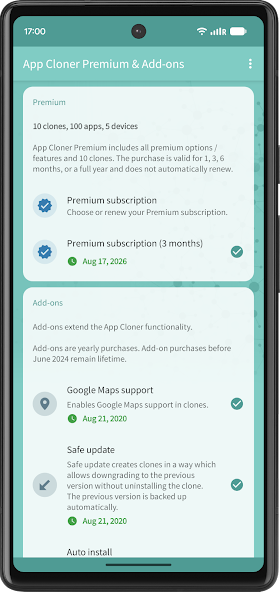
App Cloner Mod APK Features
App Cloner provides several tools for creating and managing independent application copies. The availability of individual options depends on the official edition, subscription, add-ons, and compatibility of the application being cloned.
1. Clone Your Favorite Applications
The main purpose of App Cloner is to create additional copies of supported applications. You can select an installed app, adjust its cloning settings, and generate a separate version.
The cloned application appears as another app on your device. You can open it independently and configure its available settings without changing every setting in the original application.
However, some applications may not support this process because of their internal security systems.
2. Use Multiple Accounts
Multiple-account support is one of the main reasons people search for an App Cloner APK download.
For example, you might want to keep separate accounts for work, personal communication, or different projects. Instead of signing out repeatedly, you can use separate supported clones.
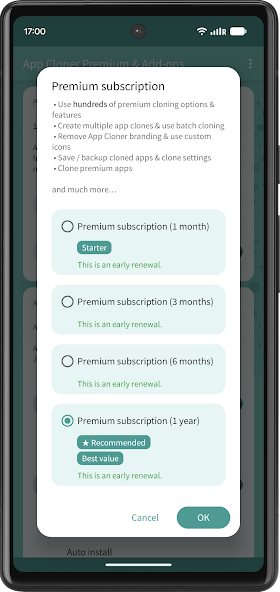
The free official version allows one clone, while the official Premium version provides access to more cloning options and a higher cloning limit.
3. Customize Cloned Applications
App Cloner offers customization tools that let users change how their cloned applications appear and behave.
Depending on the available options, you may be able to modify:
- Application appearance
- Display settings
- Language and orientation
- Notification behavior
- Selected networking options
- Application startup behavior
These settings are useful when you want each cloned application to have a different configuration.
4. Change App Icons and Names
Managing multiple copies can become confusing when every application has the same name and icon.
App Cloner provides options to rename clones and customize their launcher icons. You can use different names or visual designs to identify each copy more easily.
Custom icon options and additional branding controls are among the features associated with the official Premium edition.
5. Privacy and Security Options
The application includes several privacy-related settings. Depending on the selected options, users can control access to certain information and adjust how cloned applications interact with device features.
Some available controls include password protection, permission restrictions, incognito behavior, and options for changing selected device identifiers.
These tools should be configured carefully. Changing an identifier or restricting a permission can affect how an application works. Privacy settings also do not guarantee complete anonymity or protection from tracking.
6. Control App Permissions
Some applications request access to contacts, storage, location, cameras, microphones, or other device features.
App Cloner offers options to adjust certain permissions for supported clones. This can help users limit unnecessary access when configuring an application.
However, removing a required permission may cause an app feature to stop working. For example, a messaging app may need microphone access for voice messages or camera access for video calls.
7. Advanced Cloning Settings
Advanced users can explore additional options for application behavior, networking, notifications, storage, and automation.
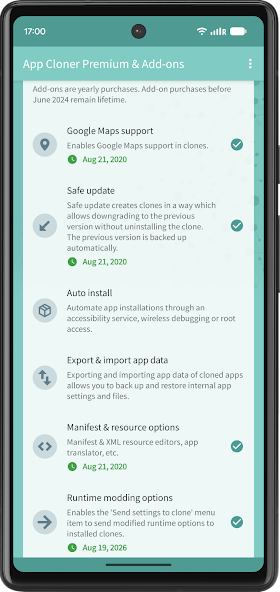
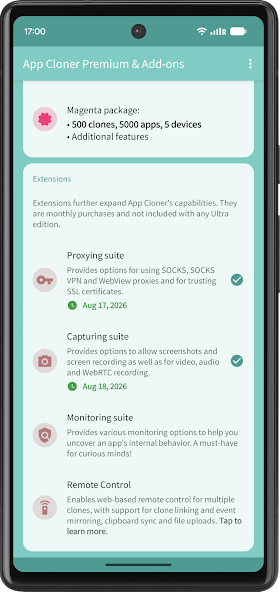
The official Premium feature list includes hundreds of cloning and customization options. Some features are available through separate add-ons, packages, or extensions rather than the basic application.
These tools make App Cloner more flexible than a simple dual-app utility, but they may require technical knowledge to configure correctly.
App Cloner ARM APK Explained
Searches for App Cloner ARM APK and App Cloner ARM Premium APK usually relate to Android processor architecture and compatibility.
What Does ARM Mean?
ARM is a processor architecture commonly used in Android smartphones and tablets. Android applications may include native components designed for particular processor architectures.
Two common ARM architectures are:
- ARM32: A 32-bit architecture used by some older devices.
- ARM64: A 64-bit architecture used by most modern Android smartphones.
An APK package must be compatible with the device and the software components it contains. Selecting an unsuitable package can result in an installation error or an application that does not work correctly.
ARM APK vs Regular APK
The term regular APK is not a specific technical architecture. It may refer to a standard installation package or a package that supports multiple processor types.
| Type | Meaning |
|---|---|
| ARM32 APK | Contains support for compatible 32-bit ARM environments |
| ARM64 APK | Contains support for compatible 64-bit ARM environments |
| Universal APK | May include support for multiple architectures |
| Standard APK | A general term that does not identify a specific architecture |
The official App Cloner website currently provides separate 64-bit and 32-bit downloads. It recommends the 64-bit release, but also lists limitations for certain device configurations. Check the official compatibility information rather than assuming that every ARM device is supported. <Cite refs={[“turn637576search0″,”turn687832search1”]}/>
ARM Premium Features
The phrase App Cloner ARM Premium APK is often used by third-party download websites to describe a modified or premium-oriented build for ARM devices.
It does not identify a separate official premium product by itself. ARM describes processor architecture, while Premium refers to paid application features.
Before installing any file advertised with this name, check its architecture, version, developer, and source.
App Cloner Compatibility With Android Devices
Compatibility is an important consideration before downloading App Cloner. The Android version, processor architecture, device configuration, and application being cloned can all affect the result.
Android Compatibility
Users frequently search for App Cloner Mod APK for Android 14, Android 15, and Android 16. However, compatibility cannot be guaranteed simply because a download page mentions a particular Android version.
The official application receives updates that may improve support for newer systems and fix existing problems. The latest official release information should be checked before installation.
App Cloner version 4.0.13 includes recent fixes and compatibility-related improvements, but individual cloned applications may still have limitations. <Cite refs={[“turn637576search0″,”turn687832search1”]}/>
Device Architecture Support
Check whether your device uses a compatible 32-bit or 64-bit environment. The official website recommends its 64-bit download but also provides a separate 32-bit installer.
The developer lists additional restrictions, including unsupported 32-bit devices, rooted devices, certain root-management frameworks, and some custom ROM configurations. Compatibility can also vary on Android emulators and x86-based devices. <Cite refs={[“turn687832search3”]}/>
Common Installation Problems
Some users may experience problems while installing or using App Cloner. Common causes include:
- App not installed: The APK may be incompatible or conflict with an existing package.
- Parsing error: The installation file may be incomplete or unsuitable for the device.
- Clone crashes: The original app may use security checks that prevent cloning.
- Login problems: Some Google-dependent features may not work inside cloned apps.
- Storage errors: Creating multiple copies requires additional device storage.
Using a compatible official release and checking the developer’s troubleshooting guidance can help identify the cause.
App Cloner Mod APK vs Original App
Both versions may be advertised as tools for creating application copies, but there are important differences.
| Feature | Official App Cloner | Third-Party MOD APK |
|---|---|---|
| Developer | AppListo | Varies by source |
| Official Updates | Available through official releases | Depends on distributor |
| Premium Features | Available through official purchases | May claim unlocked access |
| Security Verification | Official release information available | Requires independent verification |
| Customer Support | Official support channels | Usually limited or unavailable |
| Reliability | Depends on app compatibility | Depends on modification quality |
A MOD APK may claim to unlock premium options without payment. However, those claims should not be considered verified unless the developer confirms them. Modified packages may also contain unwanted code or cause installation and account problems.
If you are interested in mobile racing games, don’t miss Rebel Racing Mod APK, featuring exciting racing challenges, customizable cars, and competitive gameplay.
How to Download App Cloner Mod APK
Before downloading an App Cloner APK, decide whether you need the official application or a third-party modified package.
For the official version, visit the App Cloner official website and check the available release and architecture options. The developer also provides information about Premium purchases through its separate Google Play companion app.
If you are considering an App Cloner Mod APK download, remember that AppListo does not verify third-party modifications. Check the file source, package details, requested permissions, and security reputation before proceeding.How to Install App Cloner APK on Android
If you have obtained a compatible APK file, follow these general installation steps:
- Download the APK from a source you trust.
- Open your Android device’s file manager.
- Find the downloaded installation file.
- Tap the APK to begin installation.
- If Android asks for permission, allow installation from that specific source only when you trust it.
- Follow the on-screen instructions.
- Open the application and review its available settings.
Avoid granting unnecessary permissions. If Android or a security application identifies a genuine threat, do not ignore the warning simply to complete installation.
Advantages and Disadvantages
Advantages
- Creates separate copies of supported Android applications.
- Helps manage multiple accounts.
- Offers application name and icon customization.
- Includes privacy and permission controls.
- Provides advanced options for experienced users.
- Supports backup and management features through Premium options.
Disadvantages
- Not every application can be cloned successfully.
- Some features require a paid subscription or add-ons.
- Cloned applications may experience login or compatibility errors.
- Older releases may lack important fixes.
- Unofficial MOD APK files can create security risks.
- Creating several clones requires additional storage.
Is App Cloner Mod APK Safe to Use?
The safety of App Cloner Mod APK depends heavily on the source and the changes made to the installation file. A modified package may not have the same integrity as the original release.
Potential risks include hidden code, unwanted permissions, data exposure, and unstable application behavior. A modified app may also stop working after an Android update or when the original application changes its security system.
For better protection, prefer the official App Cloner release, review permissions, keep Android updated, and avoid installing files from unknown websites. The official developer provides release information and support through its website.
Also remember that App Cloner changes the signing certificate of cloned applications. As a result, features that depend on the original certificate, including some Google services, in-app purchases, and security checks, may not work correctly. <Cite refs={[“turn687832search3″,”turn687832search5”]}/>
Best Alternatives to App Cloner
If App Cloner does not work with a particular application or device, you can consider other options.
- Android Dual Apps: Some smartphone manufacturers include built-in app duplication features. Availability depends on the phone model and software.
- Shelter: An Android tool that uses the system’s Work Profile feature to separate applications and their data.
- Island: Another Work Profile-based option for managing separate application environments.
- Parallel Space: A third-party application designed to support multiple accounts in compatible apps.
Each alternative has different features and limitations. Check its current availability and privacy information before installation.
Frequently Asked Questions
What Is App Cloner APK?
App Cloner APK is the Android installation package for App Cloner, a utility developed by AppListo. It creates separate copies of supported applications so users can manage different accounts and configurations.
Is App Cloner Mod APK Free?
Third-party websites may advertise App Cloner Mod APK as a free version with premium features unlocked. However, these claims are not officially verified.
Can App Cloner Create Multiple Copies of an Application?
Yes, Cloner can create multiple copies of supported applications. The official free version allows one clone, while Premium supports up to 10 clones and additional cloning options.
Can I Use Two Accounts of the Same App?
Yes, this is one of the main purposes of App Cloner. You can create a separate copy of a supported application and sign in with another account. Some apps may restrict multiple sessions or cloning.
Can I Install an Older App Cloner APK?
Yes, an older APK may install if it is compatible with your device and does not conflict with an existing version. However, older releases may lack improvements and security fixes.
Conclusion
App Cloner is a useful Android tool for creating separate copies of supported applications, managing multiple accounts, and customizing individual app settings. Its advanced options make it suitable for users who need more control than basic dual-app features provide.
The App Cloner Mod APK search term is popular among people looking for premium features, ARM compatibility, and older releases. However, unofficial modifications can introduce security and reliability risks. The official version from AppListo is the better choice when you want verified releases, developer support, and legitimate Premium options.
Before installing any APK, check its version, architecture, permissions, and compatibility with your Android device.
For creative photo editing, explore EPIK Editor Mod APK, which offers AI-powered editing tools, filters, and portrait enhancement features.