Introduction
Managing files on an Android phone can become difficult when documents, photos, videos, downloads, and other data are stored in different folders. A basic file manager may be enough for simple tasks, but users who regularly transfer files, access cloud storage, or manage network drives often need more advanced tools. Solid Explorer Mod APK is a popular search among Android users looking for a powerful file manager with premium features and additional storage options.
Solid Explorer is developed by NeatBytes. It offers dual-pane navigation, file encryption, archive management, cloud storage connections, network access, and storage analysis. It also supports additional services through plugins, including a MEGA plugin for connecting to a MEGA cloud account.
Some third-party websites advertise Solid Explorer Mod APK with Pro features unlocked. However, modified versions are unofficial, and their advertised license or premium features are not guaranteed. This guide explains the app’s main tools, plugins, Unlocker, old versions, download process, and safety considerations.
Solid Explorer Mod APK Overview
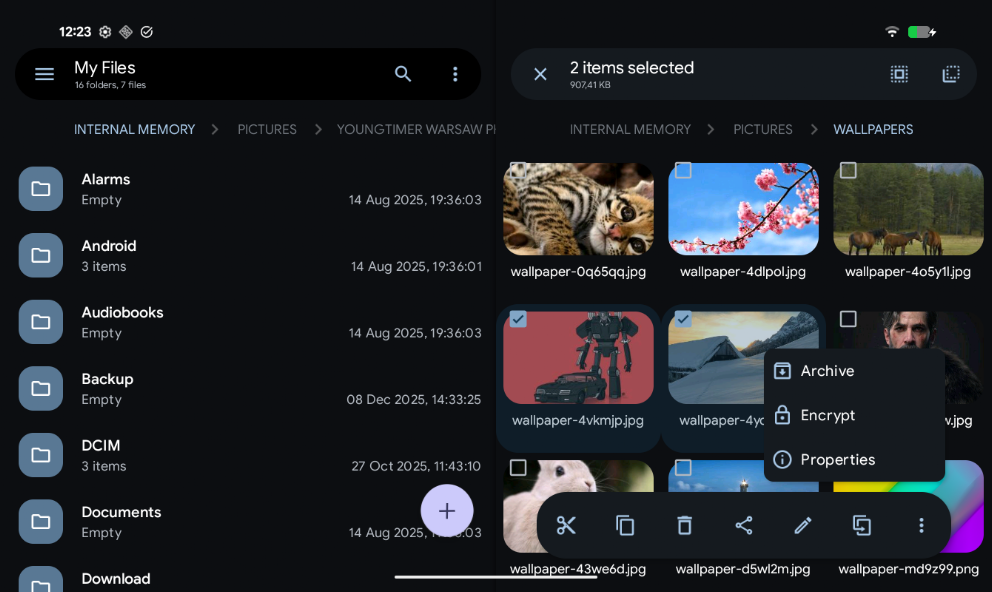
Solid Explorer is an advanced Android file manager designed to give users better control over local files, external storage, cloud accounts, and network locations. Its dual-pane interface makes it easier to move information between folders without repeatedly opening and closing different locations.
The application supports common file operations such as copying, moving, renaming, deleting, searching, and organizing files. It can also create and extract archives, encrypt sensitive documents, and connect to supported cloud storage services.
Solid Explorer Mod APK refers to an unofficial modified version advertised by third-party websites. Depending on the file, publishers may claim that premium access or paid features are unlocked. These claims are not verified by NeatBytes, and modified APKs may have compatibility or security problems.
Solid Explorer APK Information
Here is a general overview of the application. Version numbers, file sizes, and Android requirements can change, so check the current Google Play listing before installing it.
| Information | Details |
|---|---|
| App Name | Solid Explorer |
| Category | Tools / File Manager |
| Platform | Android |
| Developer | NeatBytes |
| Latest Version | v3.6.5 |
| APK Size | Depends on version |
| Android Requirements | 6.0 and up |
| App Type | File Manager |
| Main Features | Dual-pane, encryption, archives, cloud storage |
| MOD Features | Pro unlocked claims are unverified |
The official application is available through Google Play. Always check the developer name before downloading.
Table of Contents
What Is Solid Explorer File Manager?
Solid Explorer is a file management application that helps users organize information stored on their Android devices and connected storage services. It is designed for people who want more control than a basic file browser provides.
You can browse internal storage, manage folders, work with compressed files, and connect to supported cloud or network locations. Its interface is especially useful when transferring information between two different storage locations.
For example, you can open your phone’s Downloads folder in one panel and a cloud storage folder in the other. You can then transfer files between them without switching between separate applications.
Solid Explorer Mod APK Features
Solid Explorer includes several useful tools for everyday file management and more advanced storage tasks.
1. Dual-Pane File Management
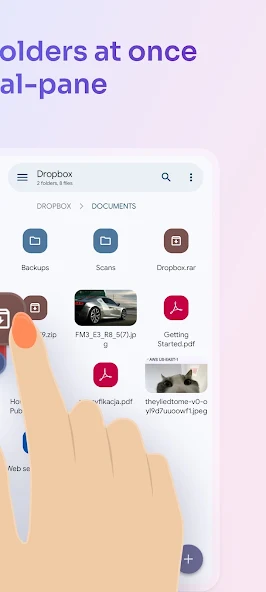
The dual-pane layout is one of Solid Explorer’s most recognizable features. It allows users to view two folders side by side, making file transfers easier.
For example, you can open internal storage in one panel and an SD card or cloud folder in the other. Select the files you need and move or copy them to the destination.
This layout is particularly useful when organizing large collections of documents, photos, videos, and downloads. It can also reduce the time spent navigating between folders.
2. Advanced File Operations
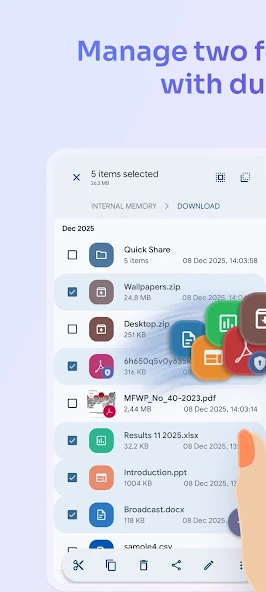
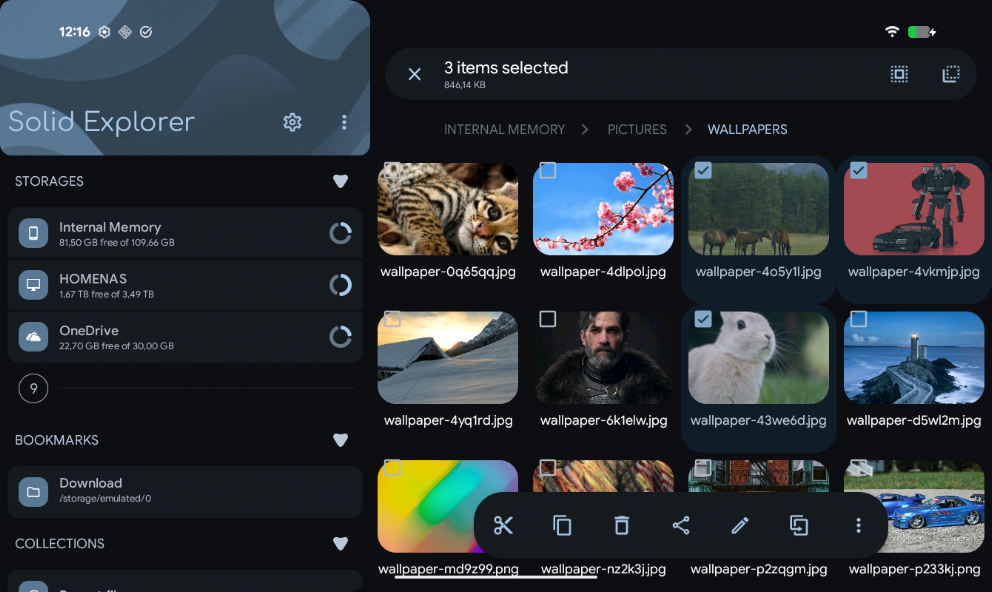
Solid Explorer provides several tools for managing files and folders. Users can copy, move, delete, rename, search, and organize their data.
The app also supports batch renaming, allowing multiple files to be renamed using patterns. Indexed search helps locate files more quickly, while collections organize common content such as photos, videos, music, documents, and applications.
These tools make Solid Explorer useful for users who regularly handle large amounts of data.
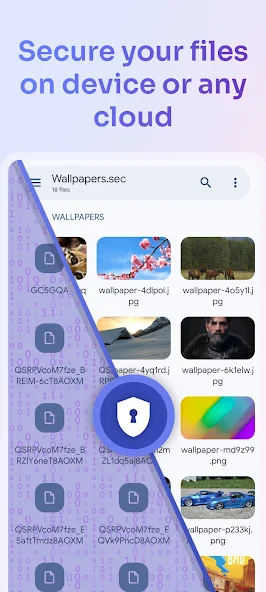
3. File Encryption and Security
File encryption is important when you store private documents or personal information on your phone. Solid Explorer supports AES-256 encryption for protecting selected files.
Users can lock encrypted files with a password or fingerprint, depending on device support. This helps protect sensitive information from casual access.
Remember that encryption does not make every part of your phone completely secure. Use a strong password and keep important recovery information safe.
4. Built-In Archive Support
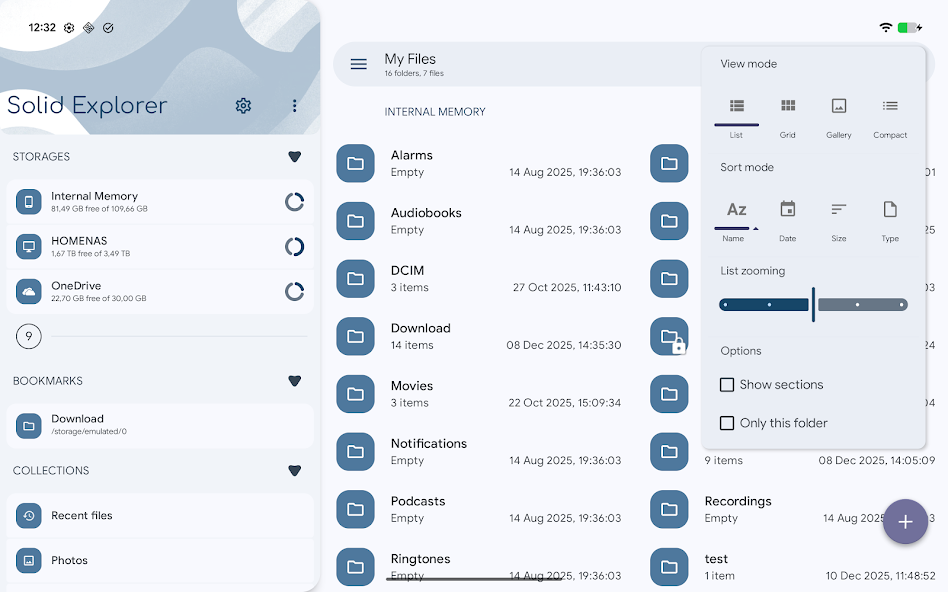
Compressed files are commonly used to store or share multiple documents in a smaller package. Solid Explorer can create and extract supported archive formats.
Its listed formats include ZIP, 7ZIP, RAR, and TAR. This means you can handle many compressed files directly inside the file manager instead of installing a separate archive application.
You can extract downloaded archives, browse their contents, and create compressed packages for easier storage or sharing.
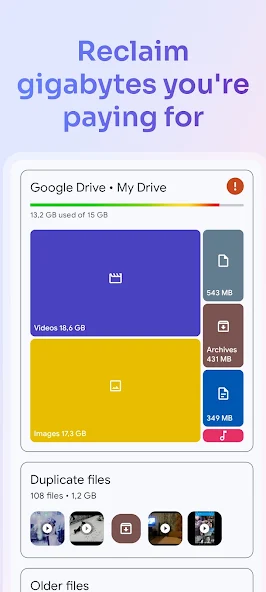
5. Storage Analyzer
The storage analyzer helps users understand how their available space is being used. It can identify large files, duplicate content, and unnecessary data that may be taking up storage.
This is useful when your phone is running low on space. You can review large folders and decide which files should be moved, backed up, or deleted.
Always check files before removing them, especially if they contain important documents or personal memories.

6. Root File Management
Solid Explorer also offers root browsing for supported rooted Android devices. Root access can allow experienced users to explore system directories that are normally restricted.
This feature should be used carefully. Changing or deleting important system files can cause Android errors or make a device unstable.
Root access is not necessary for ordinary file management, so most users can use the application without rooting their phones.
7. Clean and User-Friendly Interface
Solid Explorer uses a modern interface with customizable themes and icon sets. Its layout is designed to make different storage locations and file categories easier to navigate.
The application also includes built-in viewers and tools for working with images, music, videos, and text files. Tablet and Chromebook support provides additional flexibility for users who manage files on larger screens.
Solid Explorer Plugins and Their Uses
Plugins extend Solid Explorer’s functionality by connecting it with additional services or hardware. Some plugins are distributed separately, and availability or pricing can vary.
1. MEGA Plugin
The MEGA Plugin for Solid Explorer connects the file manager to a MEGA cloud account. It allows users to manage cloud files through Solid Explorer rather than relying only on the MEGA application.
According to its Google Play description, the plugin supports operations such as:
- Copying and moving cloud files
- Renaming and viewing files
- Uploading files from a device
- Downloading files to local storage
- Streaming supported music and video files
To connect it, open Solid Explorer, tap the plus button, select Cloud Connection, choose MEGA, and enter your account details.
The MEGA plugin is a separate add-on. It is not automatically included with every Solid Explorer installation. Also, it is developed for Solid Explorer rather than officially maintained by MEGA, so check its compatibility and privacy details before connecting your account.
2. FTP Server Plugin
Solid Explorer includes FTP server functionality that can help users access phone files from a computer over a network.
After starting the server, you can use a compatible FTP client on another device to connect and transfer files. This can be useful when moving documents or media between an Android phone and a computer without repeatedly using a USB cable.
Check the connection settings and use authentication. Avoid exposing an FTP server to untrusted networks.
3. USB OTG Support
USB OTG allows compatible Android devices to access external storage devices, such as flash drives and card readers.
Solid Explorer can work with USB OTG storage when the device and Android system support it. A separate USB OTG plugin has also been published for certain older or specific device configurations.
Many modern Android phones already support USB storage without an additional plugin. Check your device’s compatibility before purchasing an add-on.
4. Cast Plugin
Casting-related functionality can help users play supported media on compatible external devices. However, plugin availability and compatibility may vary between app releases and devices.
Check the current Solid Explorer listing and plugin information before assuming that a separate Cast plugin is required.
Solid Explorer Unlocker Mod APK
The terms Solid Explorer Unlocker and Solid Explorer Pro APK are often used by people searching for premium access.
What Is Solid Explorer Unlocker?
The official Solid Explorer Classic Unlock is a license key designed for users with legacy licenses. NeatBytes states that new users should use the in-app purchase option instead.
This distinction is important because the classic Unlocker is not the standard purchase method for everyone installing the current application.
How Does the Unlocker Work?
The official Unlocker activates the full version for eligible legacy users. New users should install Solid Explorer from Google Play and follow the purchase or trial options presented inside the app.
A modified Unlocker APK advertised on third-party websites is different. It may claim to bypass the licensing process, but such a claim does not mean the file is genuine or supported.
Main App and Unlocker Differences
| Feature | Solid Explorer Main App | Classic Unlocker |
|---|---|---|
| Purpose | File management | License activation |
| Installation | Main application | Separate legacy license key |
| File Operations | Supported | Not a file manager by itself |
| Cloud Connections | Supported options | Does not provide cloud storage |
| New Users | Install and use official purchase options | Not the recommended purchase method |
| Developer Support | Official | Official legacy license tool |
Solid Explorer Mod APK vs Original Version
Both versions are based on the same file manager, but their distribution and reliability are different.
| Feature | Original Solid Explorer | Mod APK |
|---|---|---|
| Download Source | Google Play | Third-party websites |
| Updates | Official developer releases | Depends on the publisher |
| Premium Access | Official purchase or eligible license | Unlocked claims are unverified |
| Security | Official distribution channel | Depends on file integrity |
| Plugins | Supported official options | Compatibility not guaranteed |
| Stability | Developer-supported | May contain errors |
| Account Safety | Official support | Potential risk |
The original version is the recommended choice for users who want dependable updates and supported features. A MOD version may advertise premium access, but it can also create problems with licensing, plugins, and cloud connections.
Solid Explorer APK Old Version
Some users search for Solid Explorer APK old versions because they prefer an earlier interface or need compatibility with an older Android device.
Before installing an older release, consider the following:
- Older versions may contain security issues fixed in later updates.
- Newer cloud services may not work correctly with outdated releases.
- Some plugins may require a newer main application.
- Older APKs may not support recent Android storage changes.
- Modified old versions can be especially difficult to verify.
If you need an older version, check its release details and source carefully. Avoid treating an old version number as the latest release. For normal use, the current official version is generally the better choice.
How to Download Solid Explorer Mod APK
If you are searching for Solid Explorer Mod APK Download, remember that modified files are not distributed or verified by NeatBytes. Be careful when choosing a third-party download source.
Follow these safety precautions:
- Check the website’s reputation and the APK’s release information.
- Confirm that the file is intended for your Android version.
- Avoid downloads that require unrelated applications or suspicious surveys.
- Scan the APK with a reputable security tool before installation.
- Review the requested permissions.
- Never provide your cloud storage password to an unknown website.
For the official application, use the Solid Explorer Google Play listing.
How to Install Solid Explorer APK on Android
If you have a compatible APK from a source you trust, follow these general steps:
- Open the Downloads folder on your Android device.
- Find the Solid Explorer APK file.
- Tap the file to begin installation.
- If Android requests permission, review the option to allow installation from that source.
- Continue only if you trust the file.
- Wait for installation to finish.
- Open the application and follow the setup instructions.
If installation fails, check the Android requirements and whether an existing installation is conflicting with the APK. Avoid uninstalling your current file manager or clearing its data without backing up important information.
Disable unknown-source installation permission again when you have finished.
Advantages and Disadvantages
Advantages
- Dual-pane file management makes transfers easier.
- Supports several cloud storage services.
- Includes FTP, SFTP, SMB/CIFS, and WebDAV connections.
- Provides AES-256 file encryption.
- Supports common archive formats.
- Includes storage analysis and indexed search.
- Offers root browsing for compatible rooted devices.
- Provides additional functionality through plugins.
Disadvantages
- Some features and plugins require separate purchases.
- The interface may take time for beginners to learn.
- Cloud connections depend on service compatibility.
- Root browsing requires a rooted device.
- Modified APKs may create security and stability problems.
- Unofficial Unlocker versions are not supported by NeatBytes.
Is Solid Explorer Mod APK Safe to Use?
The safety of Solid Explorer Mod APK depends on the exact file and its source. A modified application may have been changed by an unknown publisher, so its contents cannot be assumed to match the official release.
Potential risks include unwanted advertisements, malicious code, altered licensing components, and requests for unnecessary permissions. A modified file may also cause problems when connecting to cloud accounts or installing plugins.
This is especially important for a file manager because it may access personal documents, photos, downloads, and connected storage accounts.
For better protection, install the official version from Google Play. If you examine a third-party APK, scan it before installation, review its permissions, and avoid entering important cloud credentials into an untrusted application.
Best Alternatives to Solid Explorer
If Solid Explorer does not meet your requirements, consider these Android file managers:
- Files by Google: A simple option for browsing files, managing downloads, and freeing storage space.
- MiXplorer: An advanced file manager with extensive customization and file management tools.
- X-plore File Manager: Offers a dual-pane layout and different storage and network options.
- Total Commander: A long-running file manager with a dual-panel interface and additional plugins.
Compare their features, privacy policies, and pricing before choosing an alternative.
Frequently Asked Questions
What Is the MEGA Plugin for Solid Explorer?
The MEGA Plugin is a separate add-on that connects Solid Explorer to a MEGA cloud account. It allows users to upload, download, copy, move, rename, and view supported files.
Where Can I Download Solid Explorer APK?
You can download the official Solid Explorer application from Google Play. Search for Solid Explorer File Manager and confirm that NeatBytes is listed as the developer before installing it.
Is Solid Explorer APK Available on GitHub?
There is a public GitHub repository associated with Solid Explorer that contains language files, not the complete official application source code. It should not be treated as an official APK download.
How Much Does Solid Explorer Pro Cost?
Solid Explorer offers in-app purchases, and pricing can vary by country, account, and current offer. Check the purchase screen in Google Play or inside the app to see the exact price available in your region.
Does Solid Explorer Have Ads or Support an Ad-Free Experience?
The Google Play listing indicates that Solid Explorer contains ads and offers in-app purchases. The available purchase options may change, so check the current app listing and settings for details about premium access and advertising.
Conclusion
Solid Explorer is a powerful Android file manager with useful tools for organizing local files, transferring data, connecting cloud accounts, and managing network storage. Its dual-pane interface, encryption, archive support, storage analyzer, and plugin system make it suitable for users who need more control over their files.
Solid Explorer Mod APK is searched by people interested in Pro access and unlocked features. However, modified APKs are unofficial, and their claims cannot be guaranteed. They may also create security problems, especially when the application has access to private files and cloud accounts.
For a safer and more reliable experience, download the official application from Google Play. Check the available purchase options and install only the plugins you actually need.