CapCut MOD APK is a modified version of the popular CapCut video editing app for Android. It is designed for users who want more editing tools and creative options for making videos on their phones. From trimming simple clips to creating social media videos with effects, transitions, captions, music, and advanced editing tools, CapCut provides a wide range of features in one mobile video editor.
CapCut is commonly used for creating content for platforms such as TikTok, YouTube Shorts, Instagram Reels, and Facebook. Its timeline-based interface makes it possible to combine video clips, photos, audio tracks, text, stickers, and visual effects in a single project.
The CapCut Premium MOD APK concept is mainly searched by users looking for premium features, unlocked editing tools, effects, templates, and other options. However, MOD APK files are modified by third parties, so their features can differ from one release to another.
CapCut MOD APK Information
| Information | Details |
|---|---|
| App Name | CapCut MOD APK |
| Category | Video Players & Editors |
| Developer | ByteDance Pte. Ltd. |
| Latest Version | v20.4.3 |
| APK Size | 291 MB |
| Android Required | Android 5.0+ |
| MOD Info | Premium Unlocked |
| Watermark | Removed |
| Get it On | Play Store |
Table of Contents
What Is CapCut MOD APK?
CapCut is a video editing app that allows Android users to create and edit videos directly from their mobile devices. It combines basic editing functions with more advanced tools, making it suitable for both beginners and experienced content creators.
With the CapCut video editor, you can import video clips and photos, arrange them on a timeline, cut unwanted sections, add transitions, adjust speed, apply filters, edit audio, and add text or captions.
The standard app also provides creative features for social media content. You can use templates and effects to create short videos without building every part of a project manually.
CapCut MOD APK refers to a third-party modified version of the application. Depending on the particular release, a MOD may advertise features such as premium unlocked tools, additional effects, no watermark, or an ad-free experience.
Because modifications aren’t standardized, you should always check the actual features of the specific APK before installing it.
Looking for a powerful music streaming app? Explore our Spotify MOD APK Premium Unlocked guide to learn more about its features and listening experience.
Capcut Latest Version Mod APK Features
A modern mobile video editor needs to handle much more than simple cutting and joining. CapCut brings many editing functions together in one interface.
Some of the major areas of the editor include:
- Video and photo editing
- Timeline editing
- Multi-layer editing
- Transitions
- Filters
- Visual effects
- Text and stickers
- Speed controls
- Audio editing
- Captions and subtitles
- Background removal
- Green screen tools
- AI-powered editing features
- Video templates
- Export and rendering options
The CapCut latest version MOD APK searches are particularly focused on accessing newer editing functions and premium-style features.
However, available tools can change between versions and regions, so individual features should be checked against the release you’re using.
If you enjoy business and management simulations, check out our Landman Oil Simulator MOD APK, where you can build your own oil business, manage production, and expand your operation.
Professional Video Editing Tools
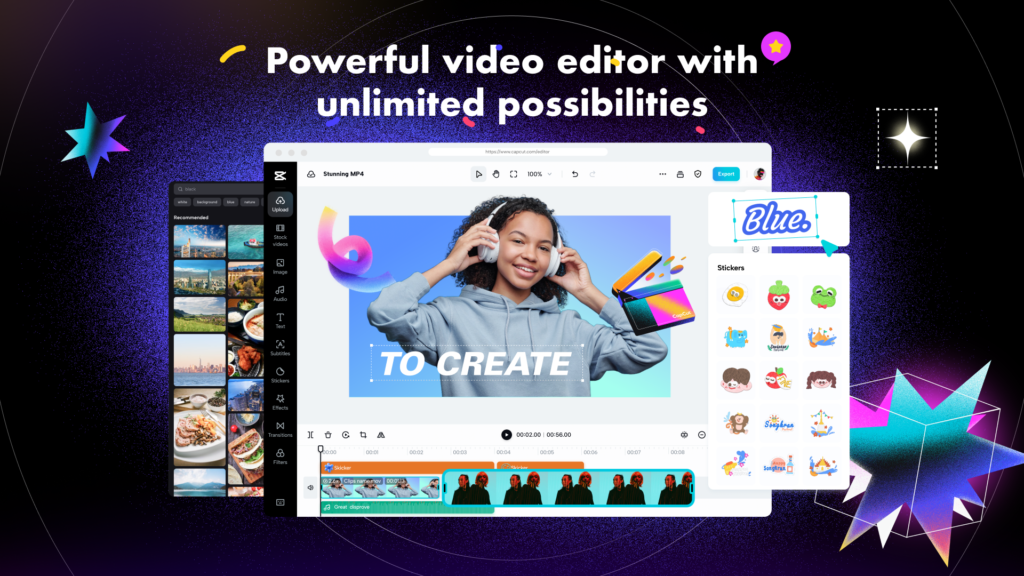
CapCut works as a mobile video editor by providing a timeline where you can organize different parts of a project.
You can place multiple video clips together, remove unwanted sections, rearrange scenes, and create a continuous video from several recordings.
Basic editing tools include:
- Trim videos
- Cut videos
- Split videos
- Merge videos
- Crop content
- Adjust video speed
- Add transitions
- Add overlays
- Add text
- Apply filters
- Edit audio
The timeline editor makes it easier to see how clips, music, text, and effects are arranged.
For beginners, these tools provide an accessible way to start video editing on Android. More experienced creators can combine multiple layers and effects to produce more detailed projects.

AI-Powered Video Editing
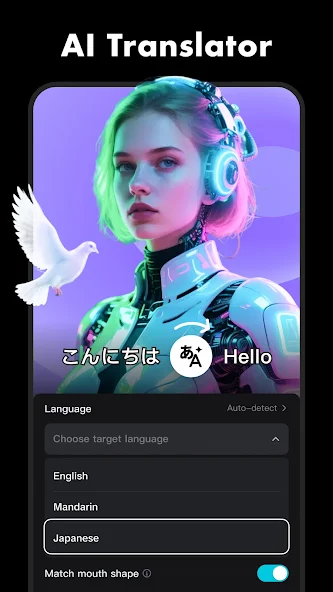
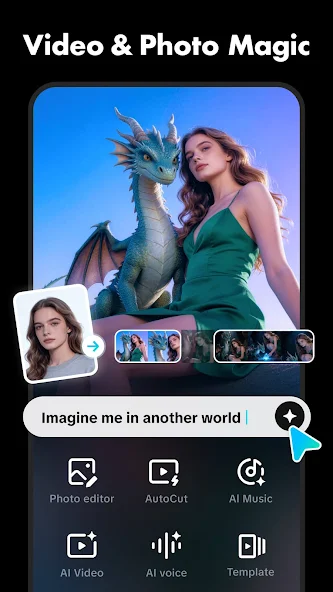
AI has become an important part of modern video creation, and CapCut includes a range of AI-powered tools and automated editing functions.
AI editing can simplify tasks that would otherwise require several manual steps. Depending on the version and available features, AI-related tools may assist with captions, background removal, voice features, scene processing, and other editing tasks.
Common AI-related capabilities associated with CapCut include:
- AI editing
- AI effects
- Auto captions
- Text-to-speech
- Voice enhancement
- Background remover
- Face tracking
- Scene detection
- Smart editing
- Automatic cuts
- AI video tools
These features can be especially useful for creators who regularly produce short-form content.
For example, auto captions can turn spoken dialogue into text, while background-removal tools can separate a subject from its original surroundings.
AI tools can reduce repetitive editing work, allowing creators to spend more time on the creative direction of a video.
Premium Filters, Effects, and Transitions
Visual effects are a major part of modern social media editing.
CapCut provides filters, transitions, motion effects, and other creative tools that can change the appearance and pacing of a video.
You can combine:
- Premium effects
- Filters
- Color adjustments
- Color grading
- Motion effects
- Cinematic effects
- Transitions
- Overlays
- Animated elements
The CapCut Pro MOD APK search is often associated with accessing premium editing resources.
Premium-style features can be useful when you want to create more polished videos without switching between multiple applications.
Transitions can also help connect different clips smoothly. Instead of making every scene change look identical, creators can use different transition styles to match the mood and pace of the project.
Keyframe Animation and Multi-Layer Editing
For more detailed projects, keyframes and multiple editing layers can provide greater control.
Keyframe animation allows you to control how an element changes over time. For example, you can gradually move, resize, or adjust an element between different points on the timeline.
Multi-layer editing allows creators to combine different elements, such as:
- Main video
- Overlay clips
- Images
- Text
- Stickers
- Effects
- Audio tracks
This makes CapCut useful beyond basic clip trimming. A creator can build a more complex composition while keeping the different elements organized within the editing timeline.
These tools can be particularly helpful for gaming videos, tutorials, promotional content, short films, and social media edits.
4K Video Export Without Watermark
Video quality matters when publishing content online.
Depending on the supported device, project settings, and version, CapCut provides different export options for video resolution and quality. Common editing workflows may involve HD and higher-resolution video.
Terms commonly associated with CapCut’s export capabilities include:
- HD export
- 1080p
- 2K
- 4K video
- High-resolution video
- Video rendering
- Video compression
- Watermark-free export
The availability of a particular resolution or frame-rate option can depend on the device, project, and current version.
A CapCut MOD APK no watermark release may advertise watermark-free export, but users should verify that claim against the actual APK because third-party modifications can vary.
Audio, Music, and Sound Effects
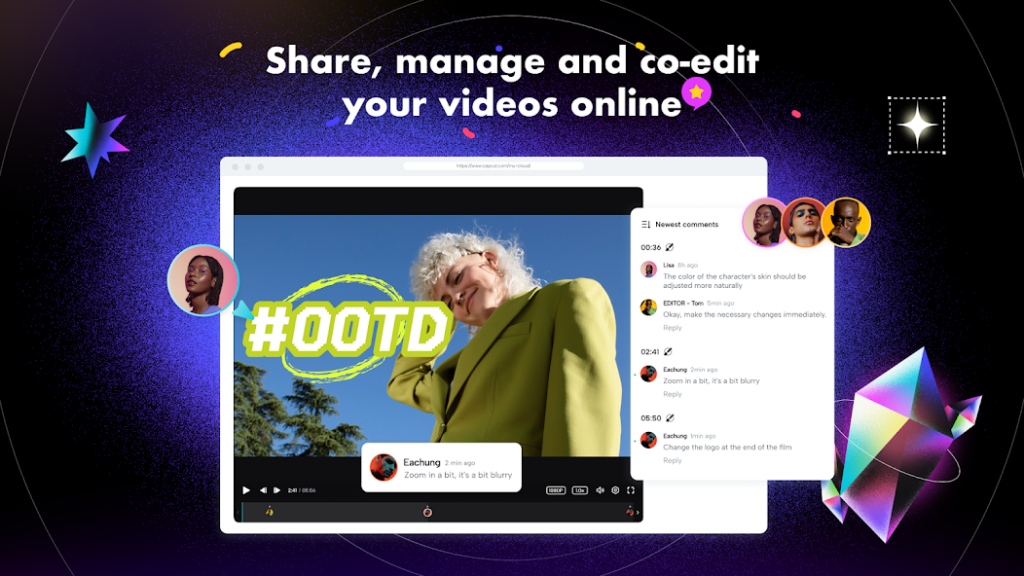
Good video editing isn’t only about visuals. Audio can significantly change how a finished video feels.
CapCut includes tools for working with music, sound effects, voiceovers, and other audio tracks.
You can work with:
- Music library
- Songs
- Sound effects
- Background music
- Voiceover
- Audio tracks
- Audio editing
- Noise reduction
- Audio synchronization
- Voice enhancement
Adding background music can help establish the mood of a video, while sound effects can make transitions and actions more noticeable.
Voiceover tools are also useful for tutorials, reviews, educational videos, and other content where narration is important.
Templates, Text, and Animated Stickers
Templates can save time when you want to create a video quickly.
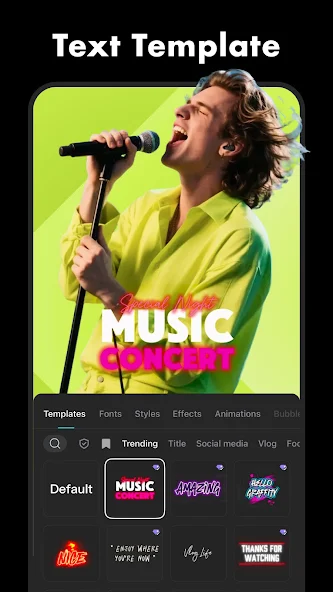
Instead of building every visual element from the beginning, a template can provide a starting structure that you can customize with your own clips, photos, text, and music.
Text tools allow creators to add titles, captions, labels, and other information to a video.
You can also use:
- Fonts
- Text effects
- Stickers
- Animated stickers
- Subtitles
- Auto captions
- Templates
These features are particularly useful for short-form social media videos where text and visual movement are often combined.
Green Screen and Background Removal
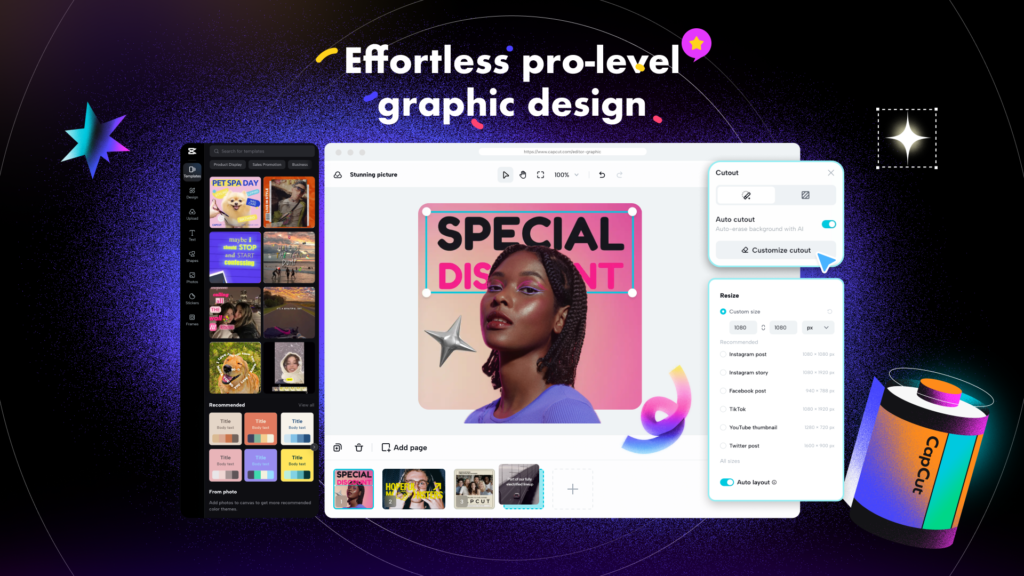
Background editing is another useful part of mobile video creation.
The green screen editor uses chroma key techniques to remove a specific background color and replace it with another video or image.
Background removal tools can also help isolate a person or object without requiring a traditional green-screen setup.
These tools can be useful for:
- Gaming content
- Tutorials
- Product videos
- Social media clips
- Promotional videos
- Short films
- Creative edits
Creators can combine background removal with overlays, effects, text, and other layers to create more customized scenes.
CapCut for TikTok, YouTube, and Instagram
CapCut is particularly relevant to short-form content creators.
A single mobile video editor can be used to prepare videos for several platforms, including:
- TikTok
- YouTube
- YouTube Shorts
- Instagram Reels
For TikTok and Reels, creators often work with short vertical videos. YouTube creators may use CapCut for Shorts, tutorials, gaming videos, or longer projects.
This flexibility makes the application useful for influencers, content creators, mobile filmmakers, and people who simply want to edit videos before sharing them online.
CapCut Pro vs CapCut MOD APK
The official CapCut application and a modified APK are different versions of the software.
The official application is distributed through authorized channels and receives updates through its normal distribution system. A MOD APK is modified by a third party and may advertise changes to premium features or other parts of the application.
| Feature | Official CapCut | MOD APK |
|---|---|---|
| Video editing | Yes | Yes |
| Timeline editor | Yes | Usually |
| Effects and filters | Available according to version | May be modified |
| Premium features | Subject to official availability | May be advertised as unlocked |
| AI tools | Depends on version/region | Depends on modified release |
| Watermark-free export | Depends on feature/settings | May be advertised |
| Updates | Official | Depends on third-party source |
| Security verification | Easier to verify | Requires additional caution |
The important distinction is that CapCut Pro MOD APK releases aren’t standardized. One modified APK can have different changes from another release with the same name.
Corsair Pirate Open World, an open-world pirate game focused on sailing, exploration, and action-packed gameplay. Corsair Pirate Open World
CapCut MOD APK Latest Version
If you’re searching for the CapCut MOD APK latest version, check the version number carefully before downloading.
A version page should ideally provide information such as:
- App name
- Version number
- Update date
- Android requirement
- APK size
- Developer
- MOD information
- What’s new
Version information is important because video editing applications frequently receive new tools, performance improvements, compatibility changes, and bug fixes.
If you are specifically looking for CapCut latest version MOD APK, make sure the file you’re downloading actually corresponds to the version advertised on the page.
How to CapCut Pro MOD APK Download and Install
If you decide to install a third-party APK, first make sure your Android device is compatible with the particular release.
Step 1: Download the APK
Obtain the CapCut MOD APK download file from a source you trust.
Step 2: Check the File
Before installation, check the APK’s version, size, and source. Avoid files that have suspicious names or unexpected additional applications.
Step 3: Allow Installation
Android may require permission to install applications from a source other than your normal app store. The exact setting depends on your Android version and device manufacturer.
Step 4: Install CapCut
Open the APK file and follow Android’s installation prompts.
Step 5: Open the Video Editor
After installation, launch CapCut and test the editing tools before beginning a large project.
If the MOD is advertised as premium unlocked, check whether the advertised features are actually available rather than assuming they are included.
Is CapCut MOD APK Safe?
A modified application requires more caution than an official application because its code has been changed by a third party.
There is no universal guarantee that every file labelled CapCut MOD APK is safe. Different websites can distribute different modified packages, and the same app name does not guarantee identical contents.
Before installing a third-party APK:
- Download it from a source you trust.
- Scan the APK with reputable security software.
- Check the requested permissions.
- Avoid applications requesting unnecessary access.
- Keep Android security features enabled.
- Don’t enter sensitive information into an unfamiliar application.
- Keep a backup of important video projects.
If security, automatic updates, and source verification are your main priorities, the official CapCut distribution channel provides a more straightforward way to identify the publisher and receive official updates.
CapCut MOD APK: FAQs
What is CapCut MOD APK?
CapCut MOD APK is a modified version of the CapCut video editing application. Third-party releases may advertise premium unlocked tools, effects, templates, or other modifications.
What is CapCut used for?
CapCut is used for video editing and content creation. It provides tools for cutting clips, adding effects, transitions, text, music, captions, overlays, and other creative elements.
Is CapCut a video editor for Android?
Yes. CapCut is a mobile video editor that can be used on compatible Android devices.
Does CapCut support AI editing?
CapCut offers AI-powered editing and automated tools, although the exact features available can vary according to the current versio.n and region
Can CapCut remove backgrounds?
CapCut provides background-removal tools. Specific background features can vary by version and availability.
Final Thoughts
CapCut MOD APK targets Android users who want a broad collection of video editing tools in a mobile application. Its editing workflow covers everything from basic clip trimming to multi-layer projects, effects, transitions, audio, captions, templates, background removal, and AI-powered tools.
The application is particularly useful for people creating TikTok videos, YouTube Shorts, Instagram Reels, gaming videos, tutorials, vlogs, and other social media content.
The CapCut Pro MOD APK and CapCut Premium MOD APK searches are mainly driven by interest in premium editing resources and unlocked features. However, third-party modifications can vary considerably, so check the specific release and its security before installation.
For anyone looking for a professional video editor for Android, CapCut combines a relatively accessible editing interface with a large selection of creative tools, making it suitable for both quick social-media edits and more detailed mobile video projects.
Tiny Leaves – Grow Your Oasis, where you can develop and customize your own peaceful oasis. Tiny Leaves – Grow Your Oasis.