Reading PDF files on Android is much easier when you have a dedicated document viewer that can open files quickly, search text, zoom into pages, and keep important documents organized. This is why searches such as pdf reader mod apk, pdf reader mod apk free download, and download pdf reader mod apk continue to attract users looking for flexible PDF tools.
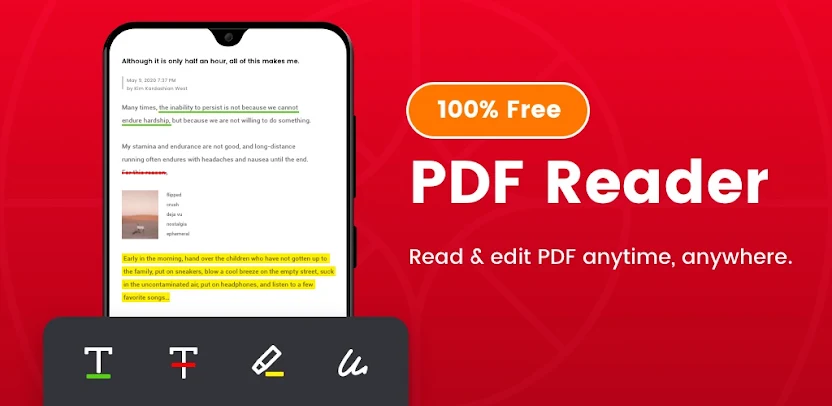
A modern PDF reader can do much more than simply display a document. Depending on the app, you may be able to bookmark pages, search within files, share documents, manage folders, fill forms, print files, or make notes and annotations.
At the same time, users often search for pdf reader mod apk pro, pdf reader mod apk no ads, and all pdf reader mod apk no ads because they are looking for premium-style features or a cleaner reading experience.
This guide explains what these searches mean, what to look for in a PDF reader, how PDF tools work on Android, and what to consider before installing an unofficial APK.
PDF Reader Information Table
| Feature | Details |
|---|---|
| App type | PDF reader and document viewer |
| Main purpose | Open, read and manage PDF files |
| Platform | Android |
| Common file | |
| Typical tools | Search, zoom, bookmarks, sharing and page navigation |
| Advanced tools | Annotations, forms, printing and document organization depending on app |
| Premium search intent | PDF Reader Mod APK Pro |
| Related apps | Xodo PDF Reader, Simple PDF Reader, All PDF Reader |
Table of Contents
What Is PDF Reader Mod APK?
PDF Reader Mod APK generally refers to a modified Android APK associated with a PDF-reading application.
The word “mod” usually means that a third party has changed the original application. Depending on the package, a modified version may advertise features such as unlocked premium tools, fewer restrictions, or reduced advertising.
However, there is no single universal pdf reader mod apk. Different APK websites may distribute different applications under similar names, and the advertised modifications can vary.
That makes it important to check the exact application name, package, version, permissions, and source before installing any third-party APK.
What Can a PDF Reader Do?
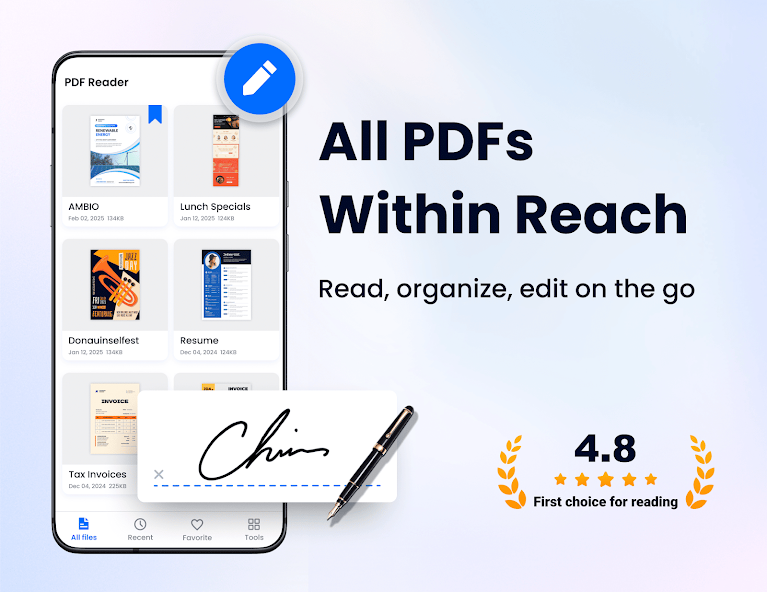
A PDF reader is designed to make digital documents easier to view and navigate.
Basic PDF applications commonly provide tools such as:
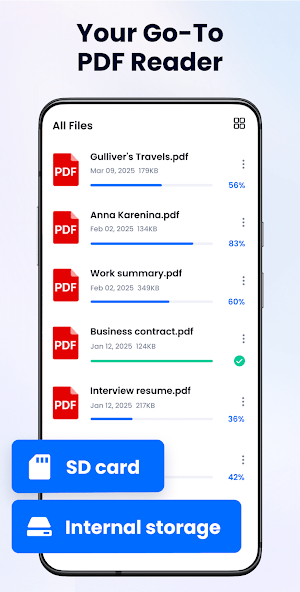
- Opening PDF documents
- Page-by-page navigation
- Zoom in and zoom out
- Text search
- Page thumbnails
- Bookmarks
- File sharing
- Recent document history
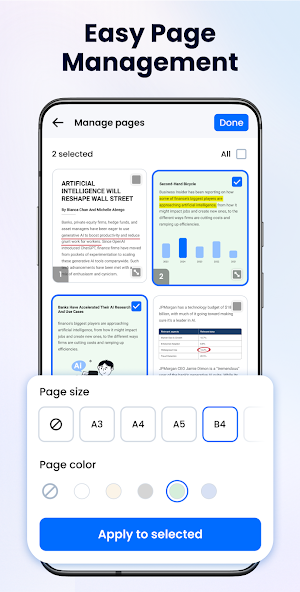
More advanced applications can include document management, annotations, form filling, printing, signing, and other productivity tools.
The exact feature set depends on the individual app.
7 Useful PDF Reader Features
1. Fast PDF Viewing
The first job of any PDF application is opening documents quickly and displaying pages correctly.
A useful reader should handle ordinary PDFs without unnecessary loading problems. This matters when you frequently open textbooks, manuals, invoices, forms, reports, or downloaded documents.
A good PDF viewer should also make it easy to move between pages without losing your place.
2. Search Inside PDF Files
Searching is one of the most useful features when working with long documents.
Instead of scrolling through dozens or hundreds of pages, you can search for a word or phrase and jump directly to the matching section.
This is particularly useful for:
- Study notes
- E-books
- Work documents
- Manuals
- Research papers
- Contracts
- Reports
A search function can save a significant amount of time when the document contains a large amount of text.
3. Zoom and Page Controls
Small text can be difficult to read on a phone screen, especially in scanned documents or large technical files.
PDF readers normally offer pinch-to-zoom or dedicated zoom controls. Some also provide different page layouts so users can choose between continuous scrolling and individual pages.
These options make reading more comfortable on smaller Android displays.
4. Bookmarks and History
Bookmarks are useful when you are reading a long document and need to return to important pages.
A PDF reader may also remember recently opened documents so that you can continue reading without manually searching your storage again.
For students and professionals, these small features can make document management much easier.
5. Sharing and File Management
A PDF reader is often used together with other Android applications.
You may want to send a document through messaging, email, cloud storage, or another sharing service.
Some PDF apps also provide folders or document-management tools to help organize files by type or location.
This is especially helpful when your phone contains a large number of downloaded PDFs.
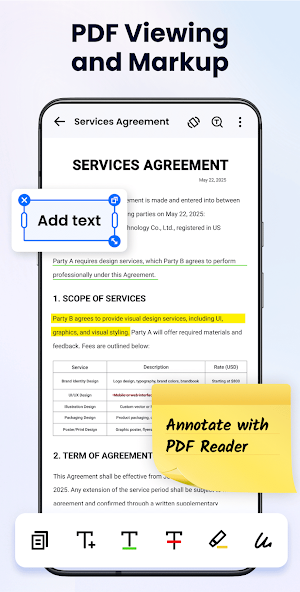
6. Annotations and Notes
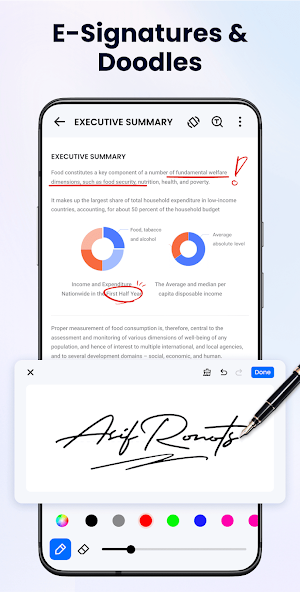
More advanced readers can allow users to highlight text, draw on pages, add notes, or mark important sections.
These tools are useful for:
- Students
- Teachers
- Office workers
- Researchers
- Business users
However, not every basic PDF viewer supports annotation tools, so check the feature list of the specific application you plan to use.
7. Forms and Document Tools
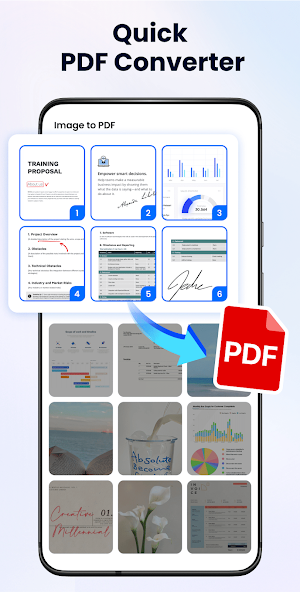
Some PDF applications go beyond reading and support interactive forms, signatures, printing, document conversion, or other productivity features.
If you work with official forms or business documents, these tools can be more valuable than simple reading functionality.
PDF Reader Mod APK Free Download
The term pdf reader mod apk free download is usually used by people searching for an Android APK that provides additional features without the normal payment structure.
Before downloading such a package, it is important to understand that an unofficial APK can be different from the original application.
Possible differences include:
- Modified code
- Changed advertisements
- Unlocked interfaces
- Removed restrictions
- Additional permissions
- Different tracking behavior
- Compatibility changes
A file being labeled “free” does not tell you whether it is trustworthy or compatible with your device.
PDF Reader Mod APK Pro
PDF Reader Mod APK Pro is another search variation focused on professional or premium features.
The word “Pro” can refer to different features depending on the application. In one app it may mean advanced annotation tools, while another might use it for document management, editing, signing, cloud support, or other functions.
Because the keyword is generic, always verify which PDF application a particular APK actually belongs to.
Avoid assuming that every APK marketed as “Pro” includes the same tools.
For more Android entertainment apps, you can also check our FlixFox Mod APK Download guide and explore its features and related app information.
PDF Reader Mod APK No Ads
Many Android users prefer a reading environment without frequent advertisements, which explains searches for pdf reader mod apk no ads.
An ad-free experience can be convenient when reading lengthy documents because there are fewer visual interruptions.
However, a third-party APK that claims to remove advertisements is not automatically safe. The modification may involve changes beyond advertising.
A user should check whether the application comes from an official source or a trusted distribution channel before installation.
All PDF Reader Mod APK No Ads
The phrase all pdf reader mod apk no ads is broader and can refer to APK searches involving an application with a name similar to “All PDF Reader.”
This creates an important SEO and user-intent distinction.
“PDF Reader” can describe a category of applications, while All PDF Reader may be the specific name of a particular app. The same applies to terms such as Simple PDF Reader Mod APK.
When downloading an APK, identify the exact app rather than relying only on a generic keyword.
Xodo PDF Reader Mod APK
Xodo PDF Reader Mod APK is a separate search phrase aimed specifically at Xodo rather than a generic PDF reader.
Xodo has historically been associated with PDF reading and document-management features, but a page targeting Xodo should ideally use Xodo-specific version, feature, and platform information instead of mixing it into a generic PDF Reader article.
For this page, Xodo is best treated as a related search term and alternative rather than presenting it as the same application.
Simple PDF Reader Mod APK
People looking for simple pdf reader mod apk usually want a lightweight application with a straightforward interface.
A simple reader may be preferable for users who only need:
- PDF opening
- Scrolling
- Zoom
- Search
- Basic bookmarks
- File sharing
If you do not need editing, signing, form filling, or annotation features, a lightweight reader can be easier to use.
PDF Reader vs Advanced PDF Editor
Not every user needs a full document-editing application.
| Requirement | Basic PDF Reader | Advanced PDF Tool |
|---|---|---|
| Open PDFs | Yes | Yes |
| Read documents | Yes | Yes |
| Search text | Usually | Yes |
| Zoom | Yes | Yes |
| Bookmarks | Often | Yes |
| Annotations | Sometimes | Usually |
| Forms | Limited | Often |
| Sign documents | Limited | Often |
| PDF editing | Usually no | Depending on app |
| Best for | Everyday reading | Productivity and document work |
If your main goal is reading books or opening downloaded documents, a basic viewer may be enough.
If you regularly edit or sign documents, a more advanced PDF application may be more appropriate.
How to Download PDF Reader for Android
When looking for a PDF application, first decide which features you actually need.
For basic reading, look for:
- Fast document loading
- Text search
- Zoom controls
- Page navigation
- Bookmarks
- Recent files
For more advanced use, consider:
- Annotation
- Form filling
- Digital signatures
- Printing
- Cloud storage
- Document organization
- File conversion
When searching for download pdf reader mod apk, make sure you identify the exact app before opening any APK file.
How to Install PDF Reader APK on Android
If you already have a legitimate APK and understand its source, the general installation process is straightforward.
Step 1: Check the APK
Confirm the application name, version, package information, and Android compatibility.
Step 2: Open the Downloaded File
Use your file manager to locate the APK and tap it.
Step 3: Review Android’s Installation Prompt
Your phone may request permission to install applications from the source you used.
Step 4: Check the Permissions
Review the permissions requested by the application before proceeding.
Step 5: Install the Application
Complete the installation and launch the reader.
Step 6: Test a PDF
Open a normal PDF file first to confirm that the application works properly.
For unknown modified APKs, do not grant unnecessary permissions just to bypass an installation or startup problem.
Is PDF Reader Mod APK Safe?
The biggest concern with any unofficial APK is that the file may have been modified outside the original developer’s distribution system.
A legitimate PDF reader obtained from an official app store and an unofficial modified package should not be treated as identical.
Potential risks with unknown APKs include:
- Malware
- Unwanted advertisements
- Excessive permissions
- Privacy problems
- Modified tracking
- Crashes
- Outdated code
- Fake premium claims
This is especially important for PDF applications because users may open private documents such as bills, identity paperwork, work files, school records, or financial statements.
For sensitive documents, use an application and source you trust.
PDF Reader Permissions
Permissions deserve attention because a document reader may not need access to every part of your device.
Depending on its design, a PDF app may request access to files or media so it can open documents stored on your phone.
Before granting access, ask whether the requested permission makes sense for the application’s purpose.
A suspicious application that requests unrelated permissions should be treated carefully.
Why a PDF Reader May Not Open a File
Sometimes the issue is not the application itself.
A PDF can fail to open because:
- The download is incomplete.
- The file is corrupted.
- The PDF uses unsupported features.
- The document is encrypted.
- The file extension is incorrect.
- The application is outdated.
- The device has insufficient storage.
Try opening another PDF first. If other documents work normally, the problem may be specific to the original file.
How to Fix PDF Reader Crashes
If a PDF reader repeatedly crashes, try these basic troubleshooting steps:
Restart the App
Close the application completely and reopen it.
Restart the Phone
A system restart can resolve temporary memory or process issues.
Clear Temporary App Data
Android’s app settings may provide an option to clear cached data.
Update the Reader
A newer version may contain compatibility fixes.
Free Storage
Very large documents may be difficult to process when your device is nearly full.
Try Another PDF
A single damaged document can sometimes cause unexpected problems.
Old PDF Reader APK Versions
Searches for old APK versions can appear when a user wants a lightweight build or compatibility with an older device.
However, older APKs can present several problems.
An outdated version may have:
- Missing features
- Compatibility issues
- Security weaknesses
- Bugs
- Unsupported Android behavior
- Reduced cloud functionality
For this reason, older versions should not automatically be treated as better simply because they are smaller or simpler.
PDF Reader for Students
Students often use PDF readers for textbooks, lecture notes, assignments, research papers, and downloaded study materials.
Useful features include text search, bookmarks, page navigation, highlighting, and annotations.
A simple reader may be enough for students who mainly read documents. Those who actively mark up PDFs may want a more advanced application.
PDF Reader for Work
Business users may need more than basic reading.
A workplace-focused PDF tool can be useful for viewing reports, reviewing contracts, signing forms, printing documents, or organizing project files.
When choosing a reader for work, consider document privacy as well as feature availability.
Avoid processing sensitive business documents through an application whose source or privacy behavior you cannot verify.
Frequently Asked Questions
What is PDF Reader Mod APK?
PDF Reader Mod APK generally refers to an unofficial modified Android package for a PDF-reading application. Different versions may contain different changes.
Is PDF Reader Mod APK free?
The term “free” usually describes the download price of an unofficial APK, but it does not indicate whether the file is safe, official, or compatible with your device.
Is Xodo PDF Reader the same as PDF Reader?
No. Xodo is a specific PDF application, while “PDF Reader” is also a broad category used by many different applications.
Can I search inside a PDF on Android?
Yes. Many PDF readers provide text-search functionality when the document contains searchable text.
Are mod APKs safe?
Safety depends on the actual file and source. Unofficial APKs can be modified and may introduce privacy or security risks.
Final Thoughts
A PDF Reader Mod APK search can represent several different needs, from basic PDF reading to premium tools, ad-free viewing, document management, and advanced productivity features.
The five main search terms targeted on this page are pdf reader mod apk, pdf reader mod apk free download, pdf reader mod apk pro, pdf reader mod apk no ads, and download pdf reader mod apk. Related searches such as Xodo PDF Reader Mod APK, Simple PDF Reader Mod APK, and All PDF Reader Mod APK should be understood as separate or more specific app intents.
Before installing any Android APK, identify the exact application and verify its source, version, permissions, and compatibility. This is especially important when opening private documents because a PDF reader may have access to sensitive files.
For everyday users, the best PDF reader is generally the one that provides the features they actually need, whether that means fast viewing and search or more advanced tools such as annotations, forms, signatures, and document organization.
For readers who also enjoy mobile gaming, explore Open World Racing Games on GameValt for driving-focused gameplay and racing experiences.